Take your work instructions to the next level with the power of Info on Demand™ Work Instruction Software.
Learn how you can streamline your companies work instructions, increase efficiency, and improve quality control
No longer will employees need to spend time finding the proper documentation for the process they are completing. With Work Instruction Software, you can access documents from anywhere, anytime
Put a stop to wasted materials and re-work by making sure employees complete processes properly the first time
Determining how you can improve efficiency of production stress free with informative reports. Use real data collected from your own production to see what areas are operating efficiently, and where changes are needed
Reduce time spent training new employees by providing them the resources they need for success.
Built in revision control with direct communication from employees regarding recommended document changes and updates maximizes the quality of their training, and the accuracy of your documentation.
With readily and easily available documentation, new-hires will have less questions and decreased training times
Info on Demand™ Work Instruction Software allows automatic process progression by utilizing IoT Tool Integration.
Choose from the following certified tools for integration:
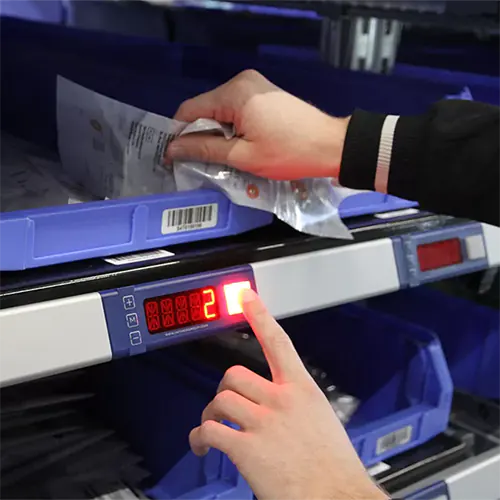
Never require an employee to manually advance documentation.
Even when there is no tool run-down, Banners Pick-to-Light integration knows where your employees are at in a process to maximize efficiency and quality control.
Easily define the sequence of each process, and Work Instruction Software will automatically detect the process selected by the front-line employees.
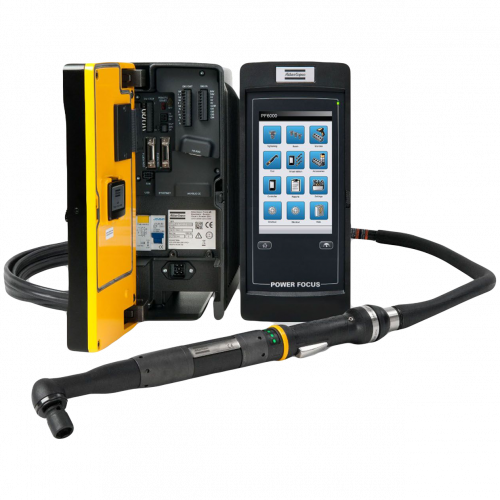
Atlas Copco is the #1 tool manufacturer for smart industrial tools all over the world.
Select when you want the Atlas Copco to trigger a document advancement, and our Control Box will take it from there.
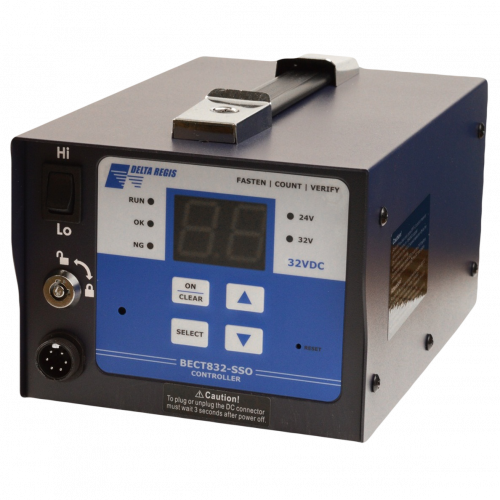
Setup your Delta Regis to advance documentation when a correct rundown is detected to keep your employees focused on their work.
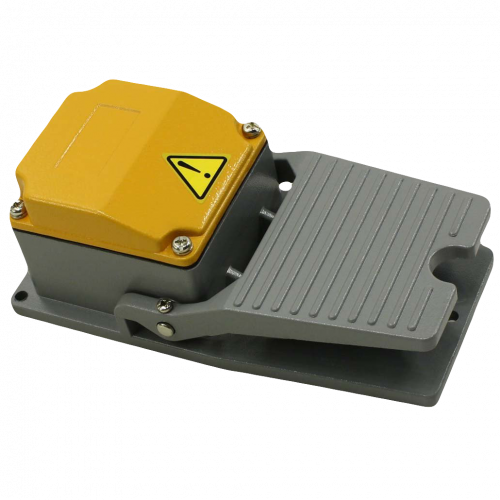
Prevent the requirement of touching a screen or clicking a mouse. Effortlessly advance documents by simply triggering a foot pedal.
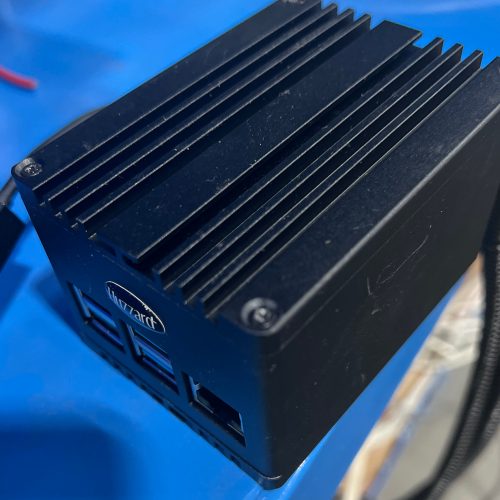
Don’t see a tool you would like to use? Our Info on Demand™ Work Instruction Software Control Box allows for integration with a variety of equipment and tools. Contact us and we will see if your tool can be custom integrated.


You will find the Admin portal of Work Instruction Software intuitive and easy to use. Create users, define your areas of work, and activate your products. As soon as your environment is set-up, you’re ready to upload your documents for use.
(Want to skip reading the content below? Click the Request Demo button and we will schedule a time to walk you through this important step!)
Preparing your work instructions for digital interaction is necessary. It’s the heavy lifting. The good news is that if completed with input from experienced employees, it will pay huge dividends in terms of giving your new employees the tools they need to be successful. You will also find improvement in the quality of work from seasoned employees building products they don’t see frequently.
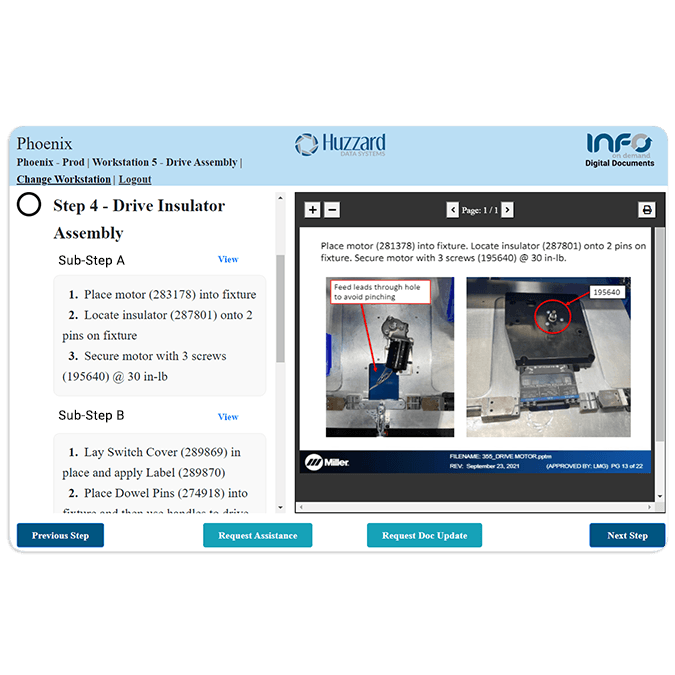
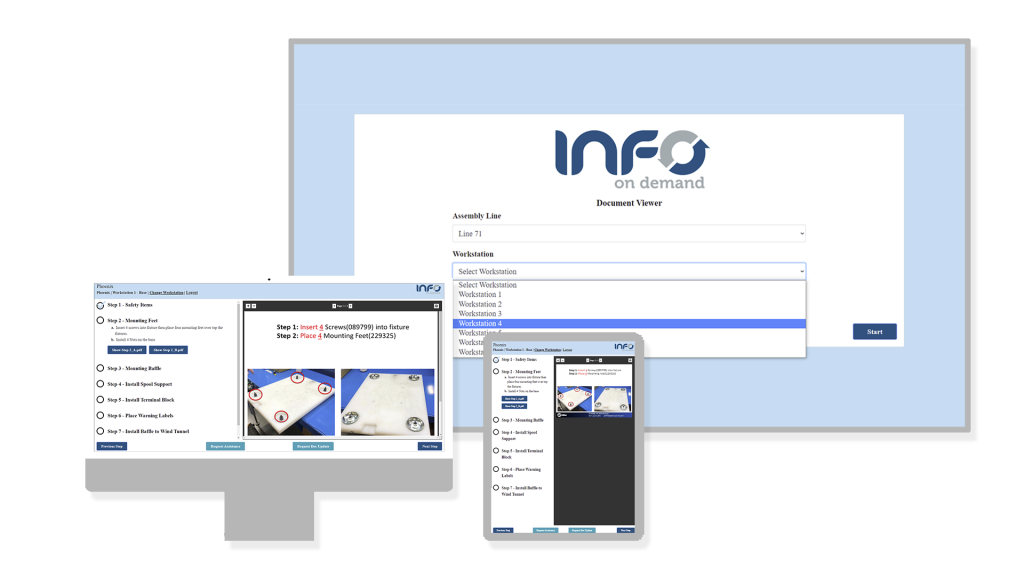
This is cool – PC or Mac not required to display your digital documentation. Simply connect your monitor to the Huzzard Control Box utilizing a local network connection.
Quickly update, edit and effortlessly view document history. No more post-it notes in a binder!

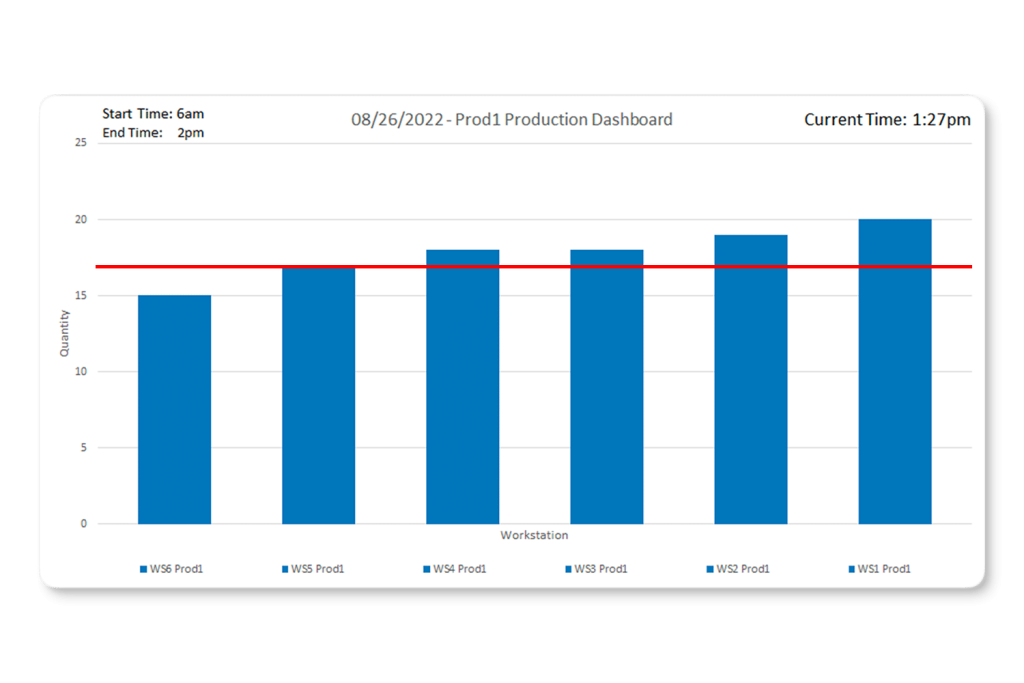
Utilize data collected from employees using Work Instruction Software by generating meaningful reports to find bottlenecks and areas-of-improvement in your processes.
Learn more about Info on Demand™ Work Instruction Software Reporting
Achieve maximum efficiency by utilizing IoT tool integration.
Pricing includes:
Looking streamline your documents for a large quantity of workstations?
Contact us regarding custom enterprise pricing.
The control box is an optional one-time cost for our custom tool integration. The control box will be used to communicate between the IoT tool and the Work Instruction Software Workstation. One Control Box is required per workstation when utilizing tool integration. The Control Box is also required if you wish to use a Monitor without a PC or Mac and can be used simultaneously with tool integration.
Foot pedal adds great value when needed to support hands-free advancement of steps within the document
The gateway is the brains to your Pick-to-Light System
One per assembly line
Micro Controller used to communicate between the Pick-to-Light system and Info on Demand™ Work Instruction Software.
One per assembly line
Allows for hands-free signaling to keep employees focused on their work, and to keep the work instructions on-track.
One required per part bin

Need help making the move from hard copy binders? We can help organize and modify existing documents to make a smooth transition.
You will have access to the best ongoing customer support to ensure that you are getting the most from your Info on Demand™ Demand Work Instruction Software software. As soon as your system is live, you and your team will receive one on one training.
Your data is important. That’s why we take security seriously. All your data stored in the cloud is stored securely with industry standard security features to make sure your data is accessible whenever you need it.

End to end encryption for all data to and from Info on Demand™
Credential requirements makes sure admin and employee passwords are secure to help prevent brute force attacks
AWS servers have a stellar 99.9% uptime to make sure your data is accessible when you request it
Never worry about data loss with automated backups
API encryption using TLS/SSL
Hosted on a private cloud server so no applications besides yours have access
Utilizes DDoS mitigation techniques including TCP Syn cookies and connection rate limiting.
Managed firewalls prevent IP, MAC and ARP spoofing on the network and between all virtual hosts. Packet sniffing is prevented using infrastructure including hypervisor
Physical infrastructure is stored in a secure area with redundant power, fire detection and suppression systems, and temperature controlled to take the extra step in securing your data

Wondering how you can streamline sharing information, operations, and, cut costs? We are just a call or email away. Here is our direct line and email address. Connect today to start the conversation.